Asociartdelivered through NEORIS
Reengineering a 13-module legacy platform
- UX Research
- Design System
- PRODUCT DESIGN
- Front-End
Starting point
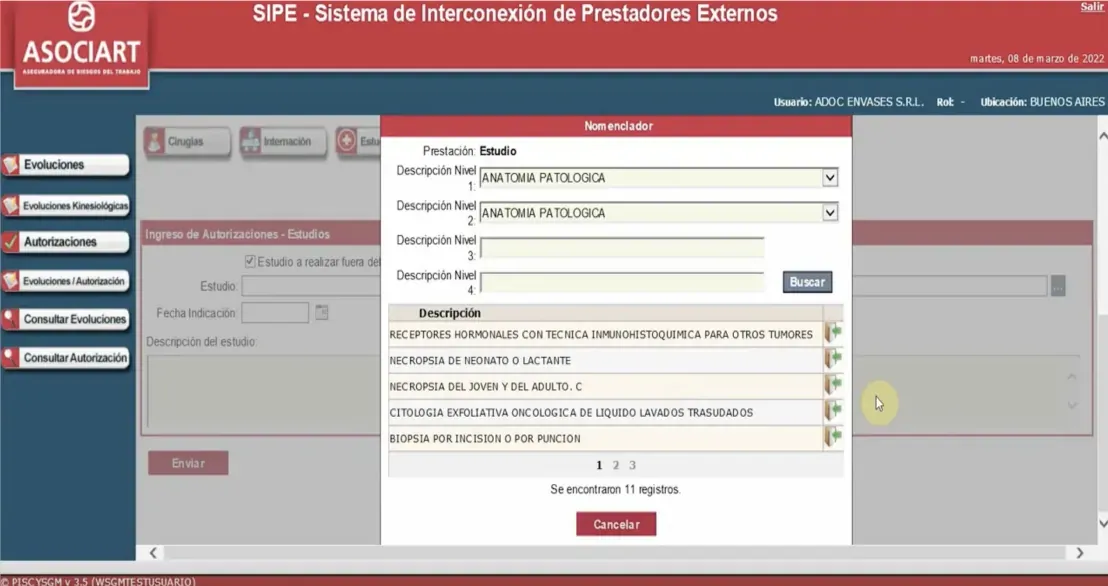
Asociart brought Neoris in to replace a monolithic legacy system running claims, legal, medical and financial operations across ten-plus departments. There was no UX practice on the product and no shared visual system. As part of Neoris' team, I was brought in to build that foundation while the platform was reengineered.
The work
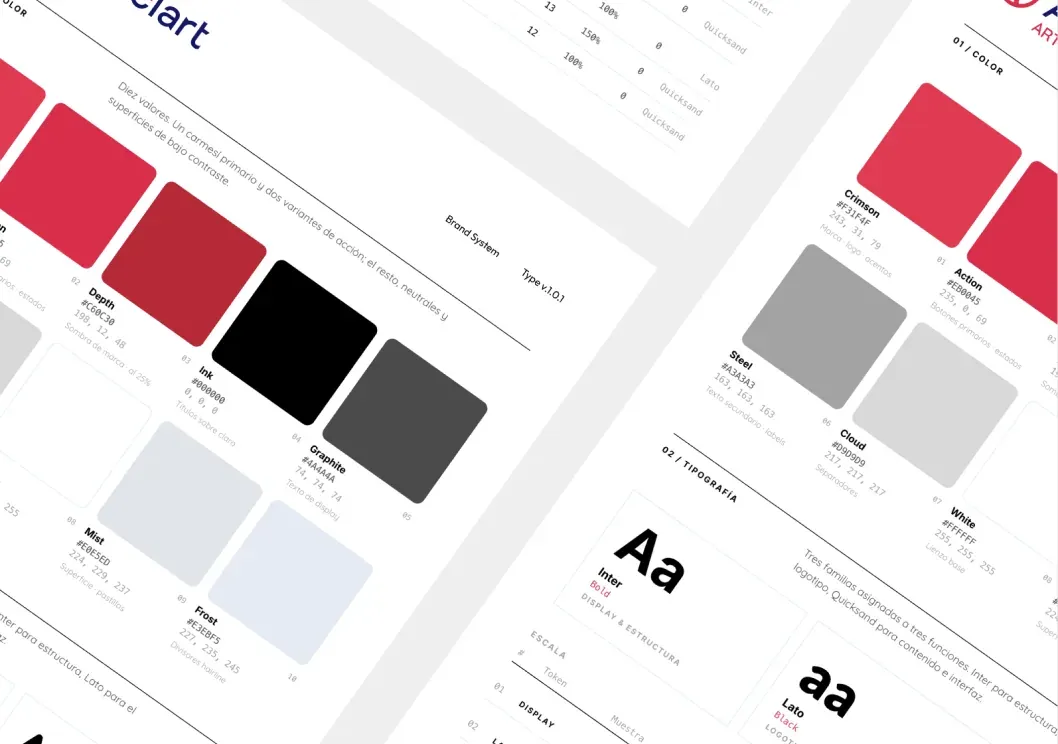
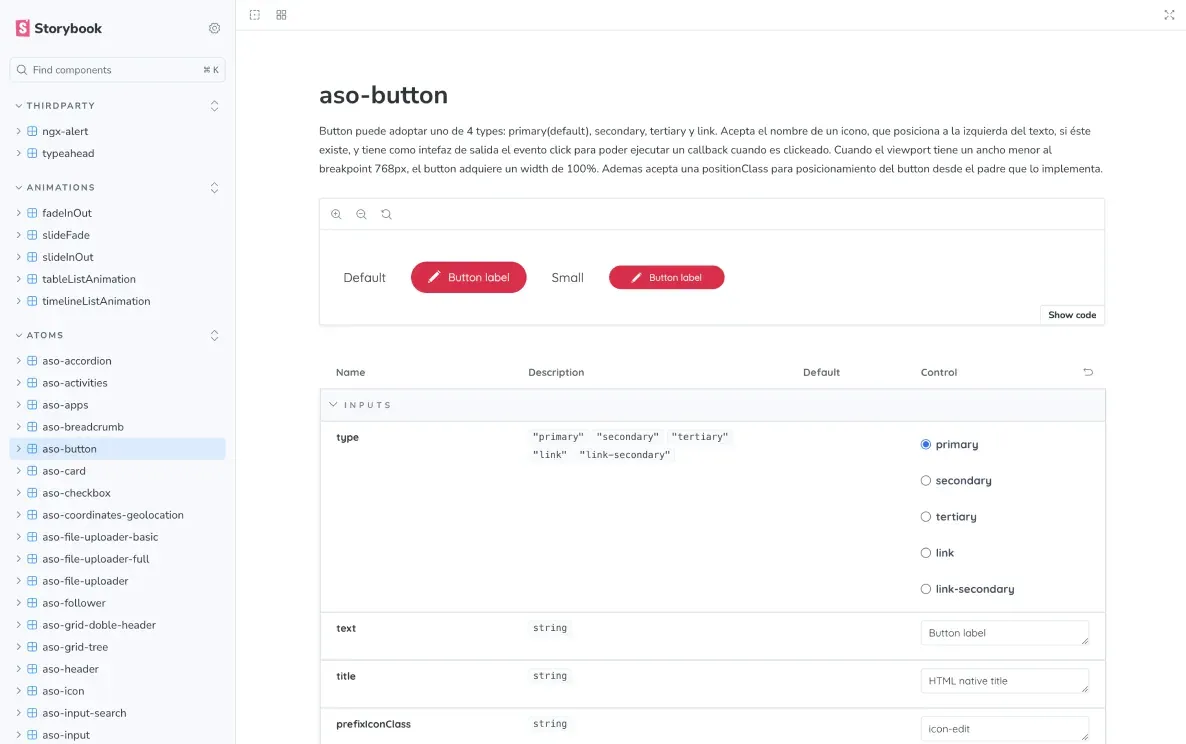
I led research with internal users and stakeholders, mapped service blueprints for thirteen interconnected modules and built the Core Design System underneath all of them — 71+ components, token architecture for colour, type and spacing, documented in Storybook. I specified component states and interaction behaviour against WCAG contrast, and worked hands-on in Angular to keep the specs and the production UI aligned.
Criticality first
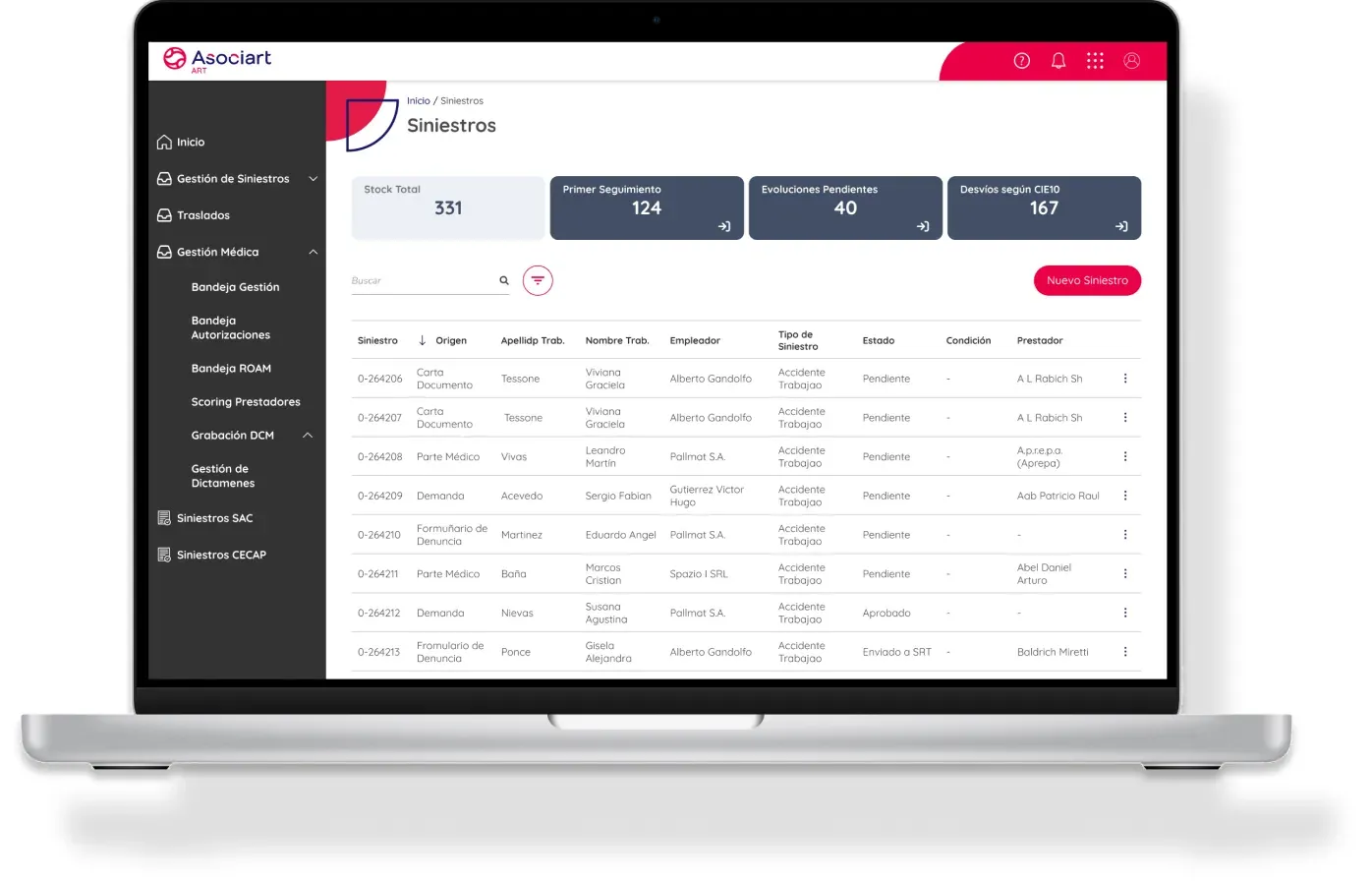
The Recoveries module was the first one I reengineered, replacing a heavy legacy screen. A daily process pulls every claim eligible for recovery, scores its criticality and assigns it to a case manager. The tray opens sorted by that score, and a quick-view panel shows the key data without leaving the list — fewer screens between a manager and the next case that matters.
Outcome
One shared foundation across thirteen modules and multiple teams, serving 500+ internal users. Five years on the account, 130+ sprints, a 98% successful build rate across active modules.
AI-Assisted Design System Workflow
From user stories to design-system-driven interfaces
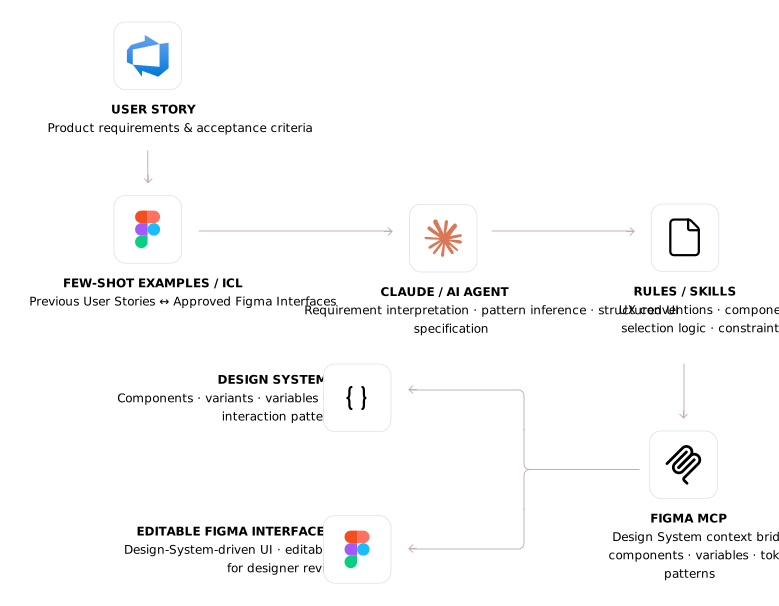
I built a Proof of Concept to test whether an AI-assisted workflow could translate product requirements into editable Figma interfaces while preserving an existing enterprise Design System as the source of truth.
I curated pairs of previous user stories and their approved Figma outcomes as few-shot / in-context examples, giving the model concrete references for how requirements had historically translated into UX patterns, components and layouts. The workflow combined that contextual guidance with explicit UX rules and structured Design System information — components, variants, variables, tokens and interaction patterns — reaching the system through an MCP-based context layer instead of inventing UI from scratch.
What I tested
Running a real user story through the pipeline, the agent produced editable Figma views built from existing Design System components — not generic UI. The translation held: component reuse and UX intent survived, and the output was reviewable and editable rather than a flat mockup.
Status
Validated POC. Not taken to production — the goal was to prove the translation layer worked, not to automate design decisions. The designer retains validation and final judgment.
- Domain
- Design System Automation
- Length
- POC · 2026
- Role
- Design & Execution